iPhone · Screen Time
Move first, then scroll.
MoveFirst keeps the apps that eat your evenings locked at the start of every day. One session opens them for the rest of the day, outside the no-go hours you set. You pick the apps, you pick how you move, and you pick how long you are doing this for.
The App Store link is being confirmed. See how MoveFirst works below.
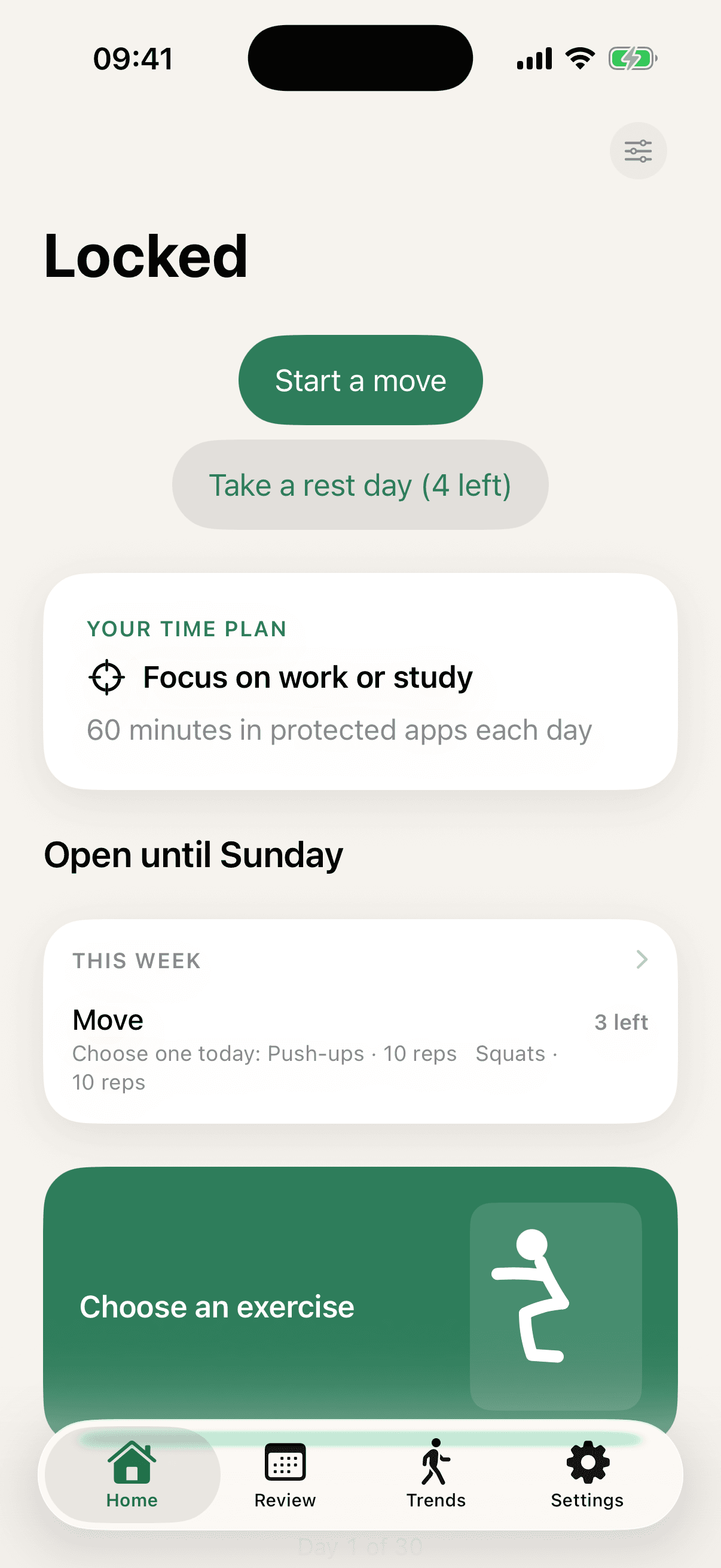
Counted by your camera. Never recorded, never sent.
Reps are counted live on your phone by Apple's Vision framework. Each frame is read in the moment and thrown away — nothing is written to disk, and nothing is uploaded.
Counted by the camera
- Push-ups
- Squats
- Sit-ups
- Jumping jacks
- Plank
- Jump squats
- Lunges
- High knees
- Mountain climbers
- One-foot balance
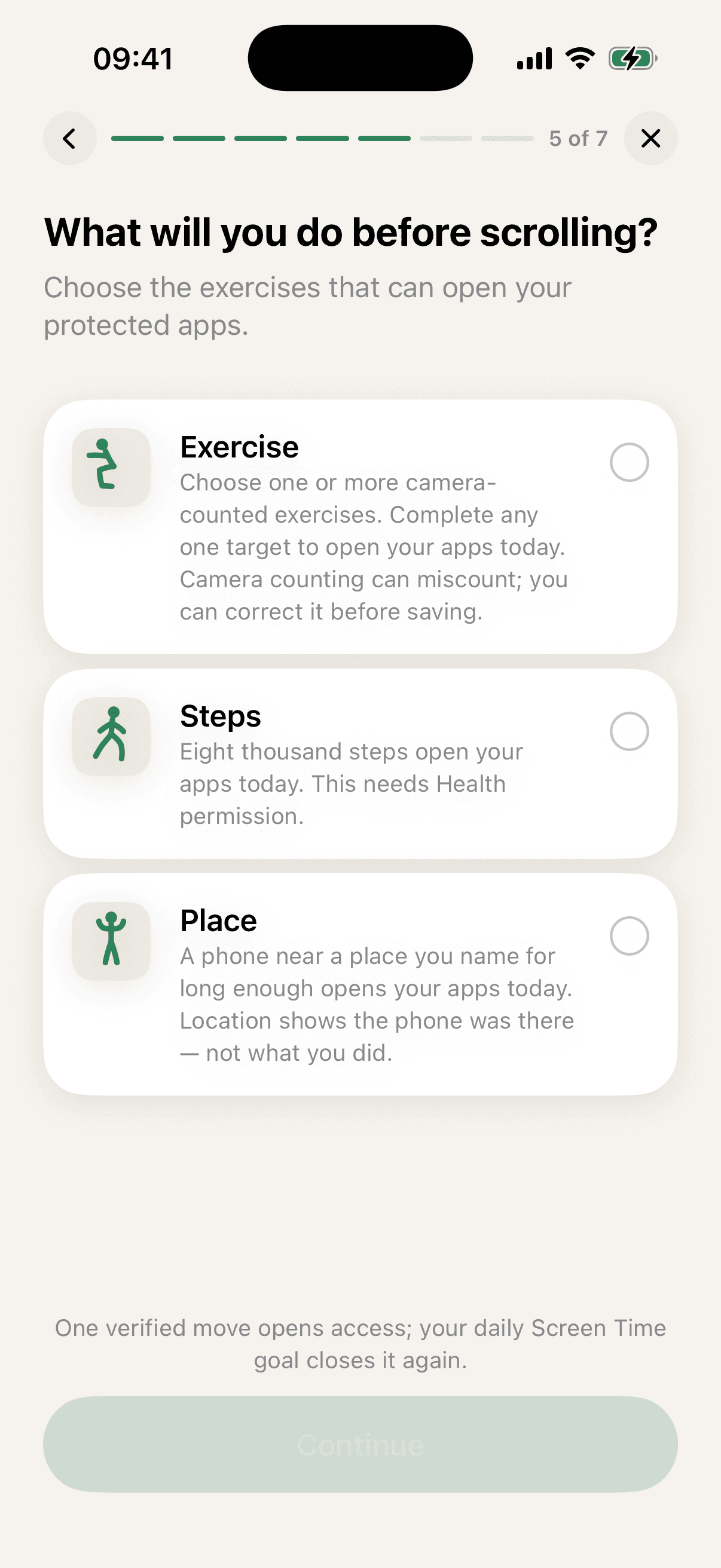
Or open your day without the camera at all.
A step target read from Apple Health, or a place you name yourself — the gym, the pool, the forest loop. Either opens the day exactly like a camera session. Location shows the phone was there, not what you did.
No camera needed
- 8,000 steps a day, read from Apple Health
- A place you name, once your phone has been there 30 minutes
- If Health does not answer, this phone's own motion sensor supplies the steps
How it works
Four choices when you set it up, and then one thing each day.
- 1
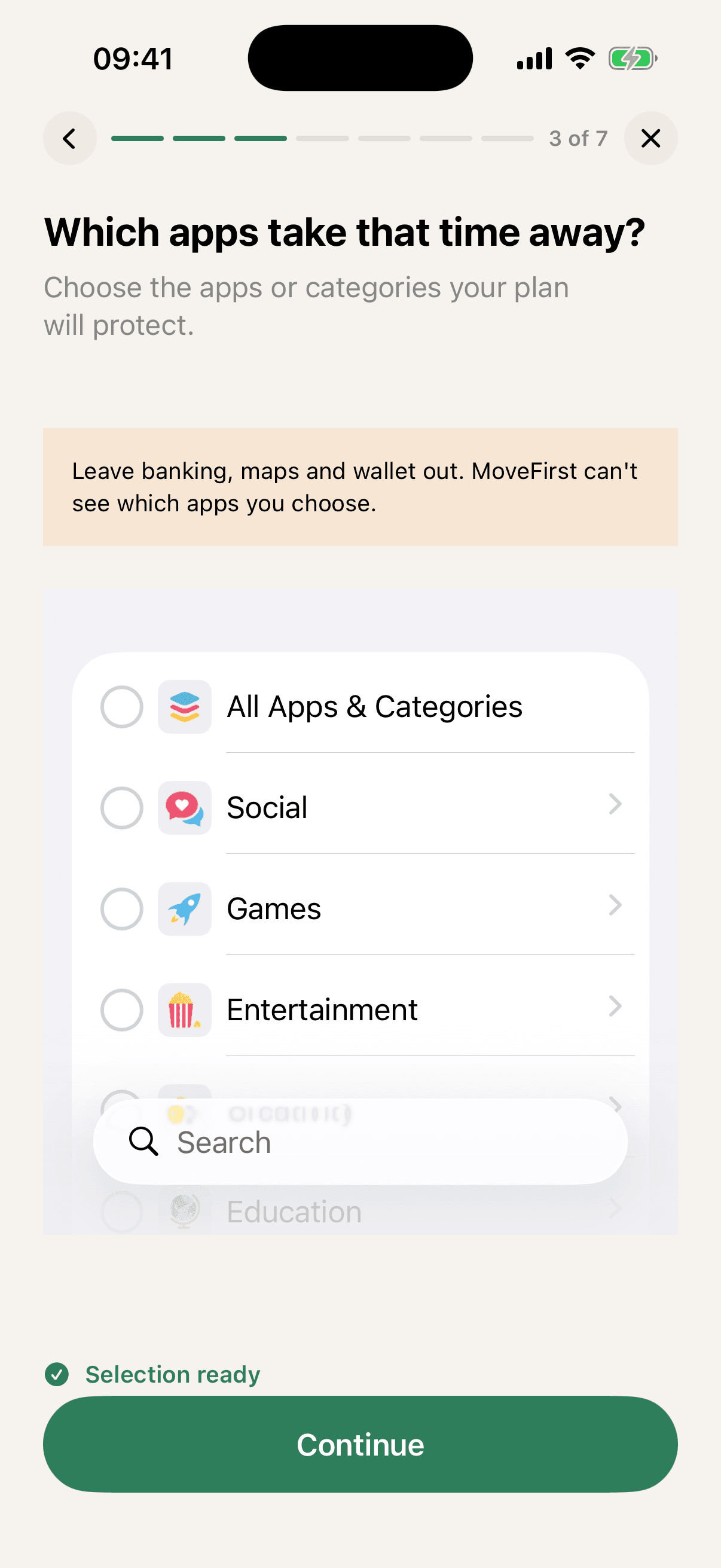
Pick the apps that stay locked
They are locked at the start of every day. MoveFirst cannot see which apps you chose — Apple's Screen Time keeps that private, including from us.
- 2
Pick how you will move
An exercise counted by the camera, 8,000 steps a day from Apple Health, or a place you name yourself. Ten exercises use the camera; steps and places need none.
- 3
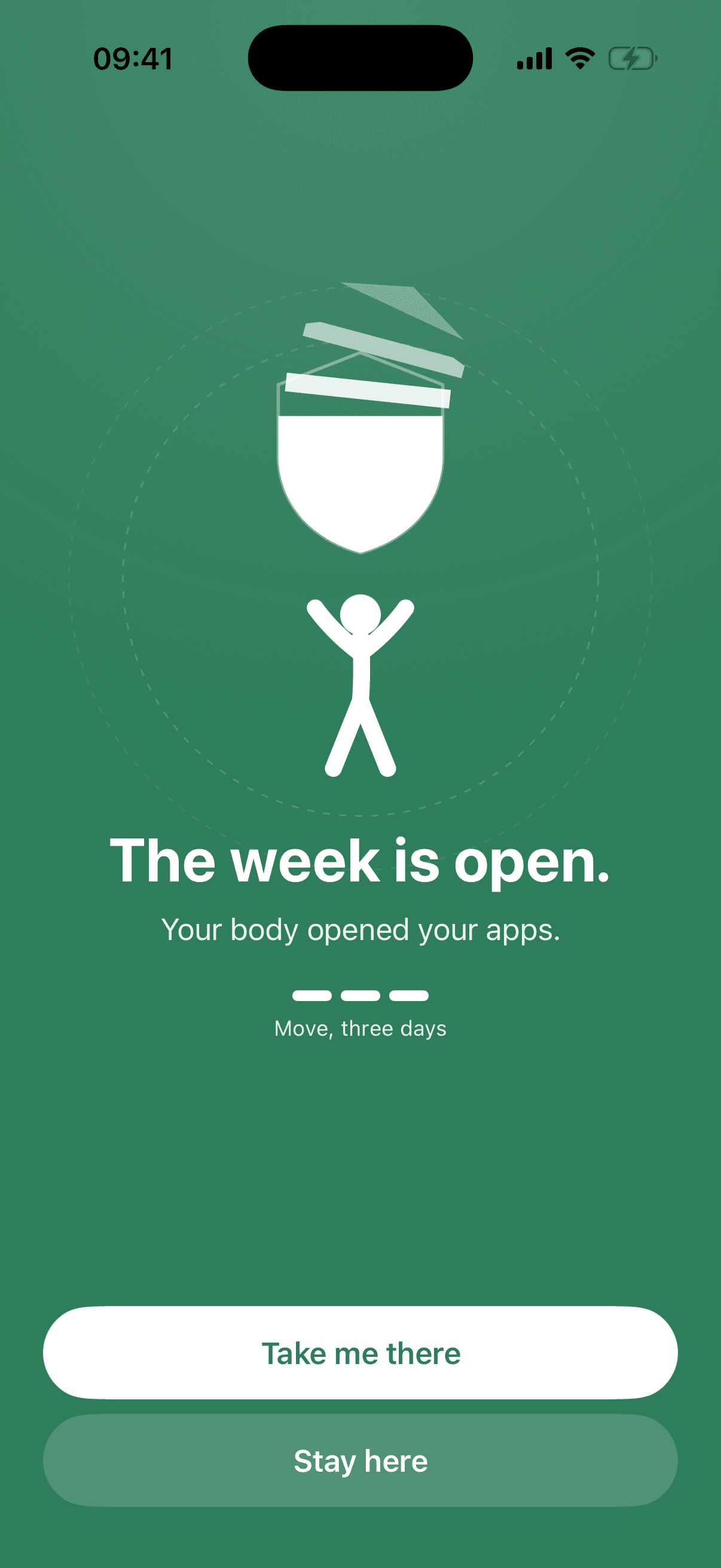
One session opens the day
Your apps stay open until your no-go hours begin, until the daily limit you set is reached, or until midnight. The next day starts locked again.
- 4
Pick how long you are doing this for
Two weeks, 30 days or 90. On the last day you see what you did and choose whether to keep going. The period you chose does not renew itself.
Never a lecture
- Stopping early still counts what you did.
- After a missed week, the next one simply starts again.
- Five moving days a week means two rest days.
Yours, privately
No account, ever
There is nothing to sign up for and no password to forget. MoveFirst is a tool on your phone, not a service you join.
Nothing personal is sent
The apps you pick, your goals and your history stay on this phone. Camera frames are processed on your iPhone and discarded.
Your app choices stay yours
Apple's Screen Time hands MoveFirst an unreadable token, not a list. Which apps you locked is private, including from us.
Questions people ask first
- Does MoveFirst record me while I exercise?
- No. Reps are counted live on your phone by Apple's Vision framework. Frames are read as they arrive and discarded immediately — no video is written to disk, and none is uploaded anywhere.
- Can I use MoveFirst without the camera?
- Yes, completely. A step target of 8,000 steps a day is read from Apple Health while the phone sits in your pocket, and a place you name yourself opens the day once your phone has been there for 30 minutes. Neither needs the camera.
- How accurate is the rep counting?
- It reads body position, so it works best with your whole body in frame and reasonable light. If the count is wrong you can correct it by hand, up to two above what the camera saw. If a move keeps missing on your setup, steps or a place open the day just the same.
- Can MoveFirst see which apps I lock?
- No. Apple's Screen Time framework hands the app an unreadable token that stands for your selection. MoveFirst can keep those apps locked without ever learning their names.
- What happens after my apps open?
- They stay open until your no-go hours begin, until the daily limit you set is reached, or until midnight — whichever comes first. The next day starts locked again, and you do not have to switch anything back on.
- Do I need an account?
- No. There is no sign-up, no email, and no password. MoveFirst keeps your setup on your iPhone.
- What happens if a rule is no longer active?
- The locking ends and your chosen apps become available again. MoveFirst never keeps you locked out of your own phone.
- Which iPhones does it work on?
- iPhone running iOS 17 or later. The camera-counted exercises use the front camera; the step target and places work on any supported iPhone.
Move first, then scroll.
The App Store link is being confirmed. See how MoveFirst works below.